
CPSPlay: Your Free Tool for Seamless Looping Videos
Download this 23 MB freeware for Windows and start creating viral loops now!

Get Started Today
- Create silky smooth, looping video clips that rival traditional GIFs without the jumpiness.
- Turn your favorite moments into meme-ready loops in secnds!
- Transform sequences into seamless, looping short MP4s - smoother than standard GIFs can ever be.
(Knowledge)
Connect with Us:


Try These Fun Samples! Animation Athletes Cosplay
Freeware Introduction
- Massive Storage: Holds up to 1000 snapshot sequences - tens of thousands of images, tailored to your needs.
- Efficient Management: Scroll and loop all 1000 sequences with mouse movement, fast and flawless.
- Innovative Output: Turn your hand-picked sequences into seamless looping MP4s with a click.
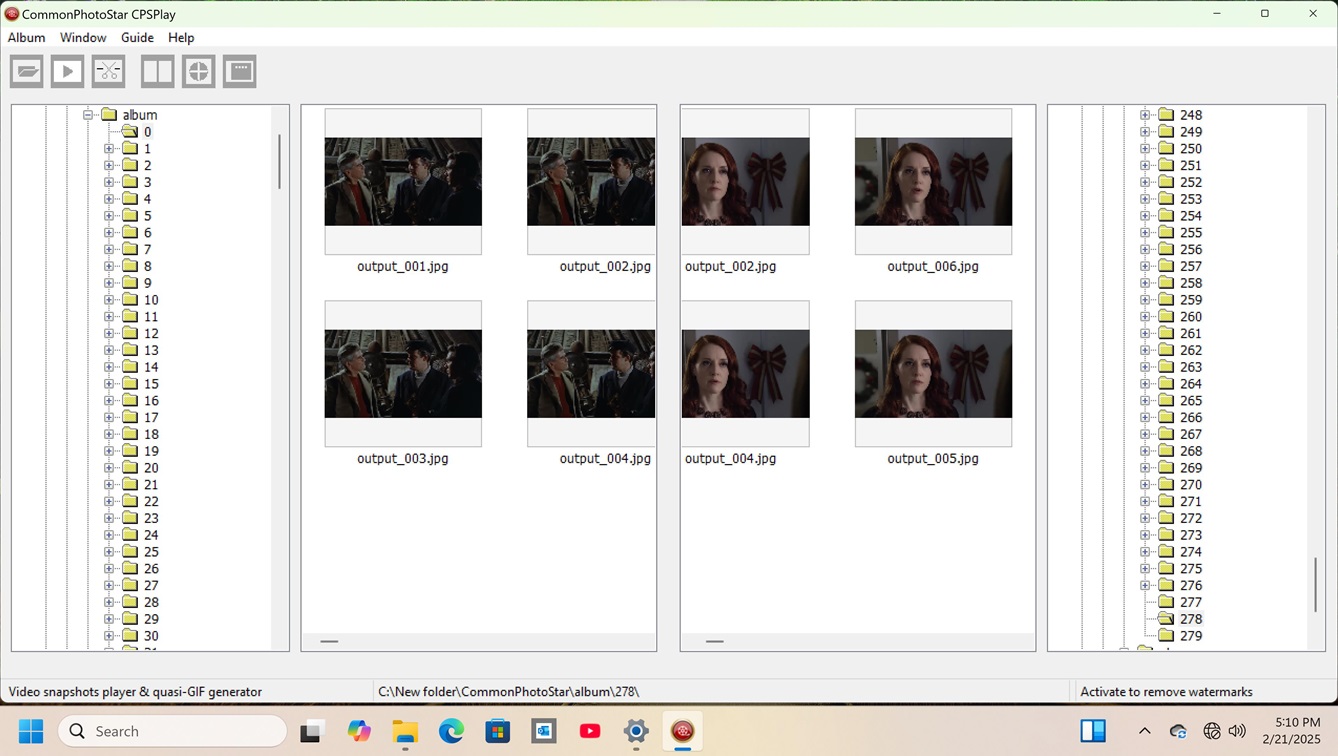
The CPSPlay Album stores up to 1000 captured sequences, letting you instantly locate any sequence - or even a sub-sequence - and replay it in a smooth, closed loop with zero delay. Perfect for pinpointing sequential frames with ease.
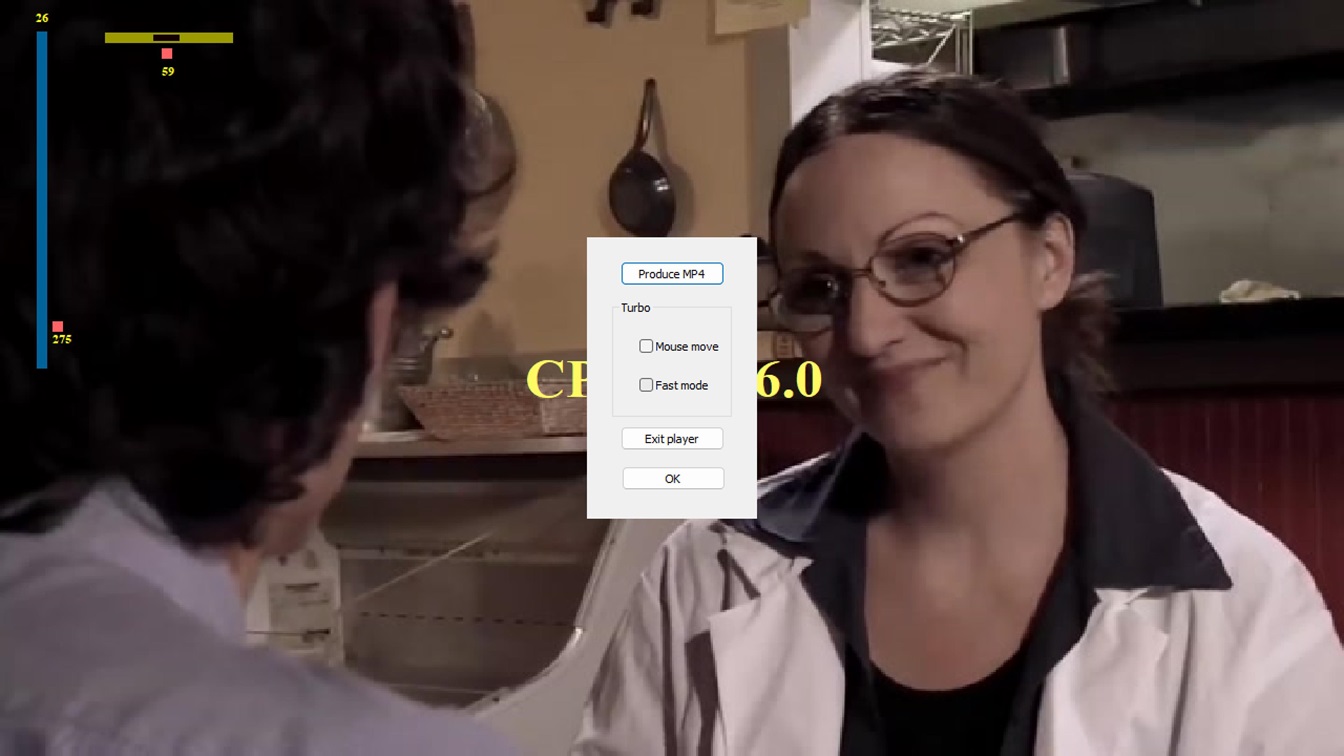
*Turbo Mode: Hover or scroll to instantly play any of 1000 snapshot sequences!*
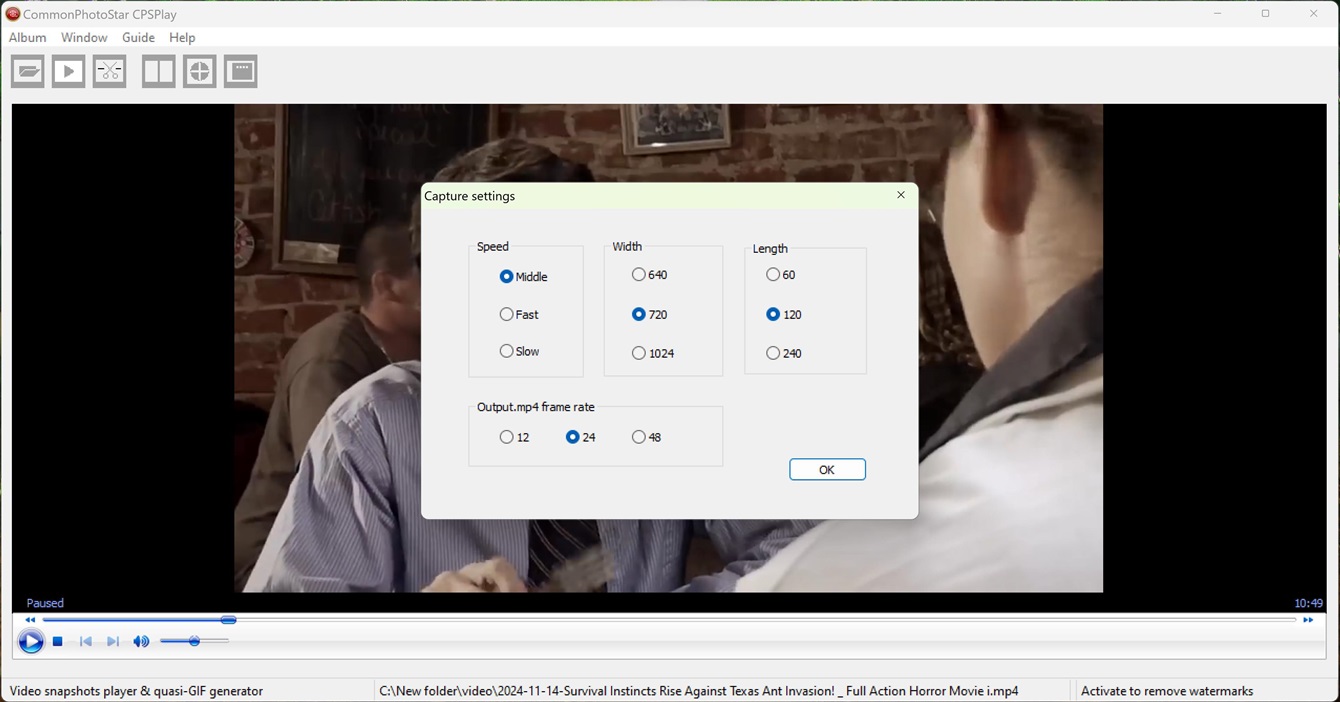
Users can actively pick any JPG sequence or sub-sequence during playback and convert it into muted Quasi-GIF MP4s, looping endlessly forward and back. These lightweight, high-quality clips outshine traditional GIFs, not only suitable for web designers chasing smooth ad effects but also perfectly meeting the needs of meme users sharing fun animated content.
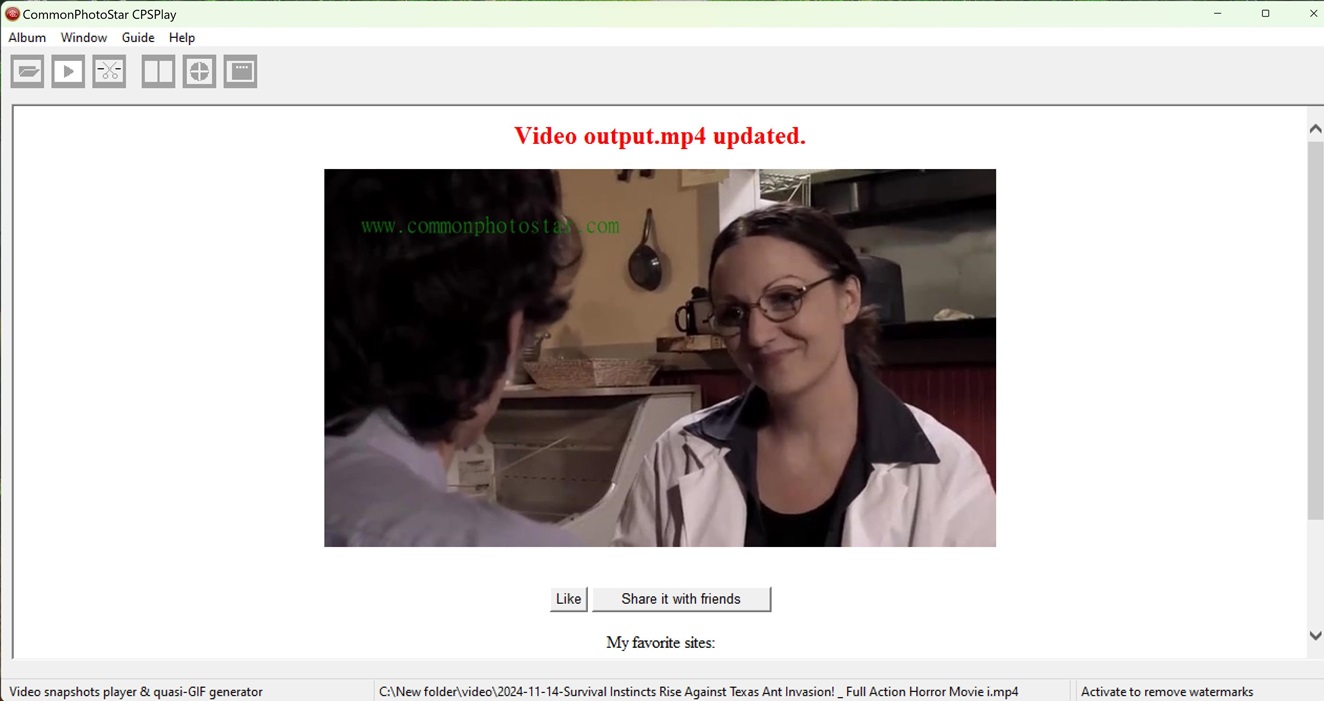
*Note: Your output.mp4 is saved to your local disk (the demo webpage is a local HTML file). Privacy guaranteed! Next output overwrites the last. Upload the Quasi-GIF video file to Twitter (X) or Tumblr at your discretion to share with friends.*
Designed with love
to enjoy endless loops.

- Video editors
- Web designers
- Athletes and coaches
- Cosplay enthusiasts
- Game players
- Meme enthusiasts
- Seniors
- Home users of Windows computers
See quasi-GIF MP4 video examples in the links here (landscape):
| John | DNA | Fitness |
| Cosplay | Athletes | Animation |
| Bacteria | Fish | Bungee |
See quasi-GIF MP4 video examples in the links here (portrait):
| Smile | Alice | Bikini |
| Dance | Hair | Pets |
CPSPlay is a green software, meaning you don't have to install it like most other software.
You can simply copy and paste the executable file to any location or multiple locations on your disks/directories,
creating an album of numbered directories containing well-organized snapshot series after running and capturing.
You can delete the album using a menu item within the software and easily create a new album by re-capturing interesting segments as snapshots from your favorite videos at any time.
CPSPlay is designed for maximum compatibility and ease of use across Windows systems. Known Issue:
System requirements:
- Operating System: Windows 7, Windows 10, or Windows 11 (32-bit or 64-bit editions).
- Hardware: Any standard PC with a basic processor and at least 500MB of free disk space.
- Privileges: Runs with a standard Administrator account - no special permissions required.
- Dependencies: None. No need for .NET Framework, DirectX, OpenGL, or additional runtimes.
Click the link below to download the standard version of CPSPlay freeware.
Download CPSPlay v6.1 (zip file about 23 MB):
(Regarding Certification)
Some video formats may not play directly. If you encounter this issue, try downloading and installing free video codecs. A link to a third-party download page is provided below for reference. Alternatively, you can click here to download a verified codec version that has been reviewed by CommonPhotoStar.com.
Freeware License
CPSPlay Freeware License Agreement
Version 1.0, August 2025
1. Introduction
CPSPlay is a free software tool for creating video snapshots and Quasi-GIFs, inspired by global cultural creativity. This Freeware License Agreement ("License") governs your use of CPSPlay (the "Software"). By downloading, installing, or using the Software, you agree to be bound by the terms of this License.
2. Grant of License
The developer of CPSPlay grants you a non-exclusive, non-transferable, royalty-free license to use, copy, and distribute the Software for personal, non-commercial purposes, provided you comply with this License.
3. Restrictions
You may not:
- Modify, reverse-engineer, decompile, or disassemble the Software.
- Sell, rent, lease, or use the Software for commercial purposes without prior written permission from the developer.
- Remove or alter any copyright notices or branding within the Software.
4. Ownership
The Software and all associated intellectual property rights are owned by the developer. This License does not transfer any ownership rights to you.
5. No Warranty
CPSPlay is provided "as is" without any warranties, express or implied. The developer is not liable for any damages arising from the use of the Software, including but not limited to data loss or system errors.
6. Distribution
You may distribute the Software in its original, unmodified form, provided you include this License and all copyright notices. You may not charge a fee for distribution.
7. Termination
This License is effective until terminated. It will terminate automatically if you violate any terms. Upon termination, you must destroy all copies of the Software.
8. Contact
For questions or permissions, contact the developer via https://www.commonphotostar.com/.
- Global Service Email: CommonPhotoStar Email Board (Click)
- Public Message Board: CommonPhotoStar Message Board (Click)
Share it, making the world better.
Editor's Review
The concept behind this software is commendable. CommonPhotoStar does not overwhelm users with features, tools, and options that may never be utilized. Instead, this application is designed to provide a simple, intuitive, user-friendly environment, allowing everyone to use it in an enjoyable manner.

User Comments:
The essence of this software is love, it encapsulates a heartfelt experience that resonates with this theme.